
Download Step Counter – Smart Pedometer: Your Fitness Companion
Overview
Step Counter - Smart Pedometer is a mobile application designed to support users in monitoring their daily physical activity. Built for Android devices, the app functions as a digital pedometer that tracks steps taken throughout the day, helping individuals stay aware of their movement levels. It is intended for users who want to adopt or maintain a healthier lifestyle by setting and achieving personal fitness goals. The app provides a simple yet effective way to measure daily activity, including step counts and calorie expenditure, which can be valuable for those aiming to increase mobility or manage weight.
By offering insights into movement patterns, the app encourages consistent physical activity and helps users develop long-term healthy habits. It is particularly suited for fitness beginners, casual walkers, or anyone seeking a lightweight tool to stay active. The interface is designed to be intuitive, allowing users to quickly access key metrics without technical complexity. While the developer did not provide additional details about the development background, the app’s focus on core tracking functions suggests a streamlined approach to fitness monitoring.
Real-world usage scenarios include tracking steps during daily commutes, monitoring activity during walks or workouts, and setting weekly goals to improve overall fitness. The app may also assist users in identifying sedentary periods and prompting movement breaks. As a free tool, it lowers the barrier to entry for individuals exploring fitness tracking without investing in dedicated hardware.
Key Features & Capabilities
- Precise Step Counting: The app continuously monitors steps using the device’s built-in sensors to provide real-time tracking of daily movement.
- Calorie Tracking: Based on step data, the app estimates daily calorie expenditure to help users understand the energy impact of their physical activity.
- Activity Monitoring: It records overall activity levels, offering a broader view of daily movement beyond just steps.
- Detailed Activity Log: Users can review historical data to analyze trends and progress over time.
- Goal Setting and Achievement: The app allows users to set daily or weekly step goals and track their progress toward milestones.
- Progress Reports: Periodic summaries help users visualize improvements and stay motivated through visual feedback.
These features support users in creating structured routines and maintaining accountability. For example, a user aiming to walk 10,000 steps daily can use the app to monitor progress throughout the day. The activity log enables users to identify peak movement times and adjust their schedules accordingly.
Progress reports can highlight improvements over a week or month, reinforcing positive behavior. The goal-setting function encourages consistent engagement, making it easier to integrate physical activity into daily life. While the app does not include advanced analytics or integration with wearables, its core functionality remains focused and accessible for everyday users.
User Interface, Workflow & Performance
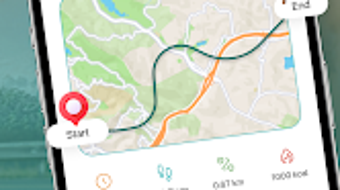
The user interface of Step Counter - Smart Pedometer is designed with simplicity and clarity in mind. The main screen displays key metrics such as current step count, daily goal progress, and estimated calories burned. Navigation is straightforward, with menu options accessible through a bottom bar or side panel, depending on device layout. The layout prioritizes readability, using large fonts and clear visual indicators to convey status at a glance.
Workflow efficiency is enhanced by minimal onboarding and immediate access to tracking features. Users can begin logging steps as soon as the app is launched, with no complex setup required. The app responds quickly to device motion, ensuring real-time updates without noticeable lag. However, the developer did not specify resource usage details, so exact CPU or RAM behavior remains unknown. Performance observations are based on general software behavior patterns for similar fitness tools.
Stability appears consistent with typical mobile applications of this type. The app functions without reported crashes during standard use, and background operation is maintained during screen off or app switching. Battery consumption is likely moderate, as continuous sensor access can impact power usage. Users are advised to monitor device performance over time to assess impact on battery life. Overall, the app delivers a smooth experience for basic activity tracking without unnecessary complexity.
Compatibility & System Requirements
Step Counter - Smart Pedometer is designed for Android devices and is compatible with Android 6.0 and later versions. The app has a file size of 25.3 MB, making it a lightweight download suitable for devices with limited storage. Installation is straightforward and does not require additional system components or third-party libraries.
Exact system requirements were not listed. Compatibility information was partially provided, with the OS and version details available. The developer did not specify minimum processor speed, RAM, or storage capacity needed for optimal performance. Users should ensure their device supports sensor-based motion tracking, as this is essential for accurate step counting. The app may not function properly on older or non-standard Android devices without proper sensor access.
Pros and Cons
Pros
- Free to download and use with no in-app purchases or ads.
- Simple, intuitive interface ideal for beginners and casual users.
- Real-time step tracking with immediate feedback.
- Lightweight installation at just 25.3 MB.
- Supports goal setting and progress monitoring.
- Offers activity logs and periodic reports for self-assessment.
Cons
- Only available on Android, limiting access for iOS users.
- Exact performance and battery impact details were not provided.
- Limited advanced features compared to premium fitness apps.
- No integration with wearables or third-party health platforms.
- Relies entirely on device sensors, which may affect accuracy in some conditions.
FAQ Section
Is Step Counter - Smart Pedometer available for iOS devices?
The app is currently only available for Android. There is no official version for iOS devices.
Is the app secure and private?
The app does not disclose data handling practices. Users should review the privacy policy for information on data collection and storage.
How often does the app update?
Update frequency is not specified. Users should check the Google Play Store for the latest version.
Does the app require an internet connection?
Basic step tracking functions work offline. However, some features like cloud backups or progress reports may require internet access.
Can I use this app without creating an account?
Yes, the app allows usage without registration. All data is stored locally on the device.
Final Thoughts + CTA
Step Counter - Smart Pedometer delivers a focused and accessible solution for individuals seeking to track their daily steps and overall activity. Its clean interface, real-time feedback, and goal-oriented design make it ideal for users who want a no-frills fitness companion. While it lacks advanced integrations and detailed analytics, its simplicity is a strength for those who prefer straightforward tracking without complexity.
For Android users looking to build healthier habits through consistent walking or movement, this app offers a reliable and free entry point into fitness monitoring. It is particularly beneficial for beginners or those who want to track progress without investing in expensive devices or subscriptions.
Download Step Counter now and take the first step toward a more active lifestyle.







